Best Portable Antivirus (Anti-Malware) Scanners In 2021 For Windows

If your Windows PC gets infected with malware, the anti-malware software you have installed may not be enough to remove it. Fortunately, there are several portable anti-malware tools that you can run. Let’s look at the best portable antivirus (anti-malware) tools to scan and disinfect your PC.
In a hurry? Here are the best portable antivirus (anti-malware) tools that you can carry to an infected Windows PC to run scans. Read on for more details.
- Avira PC Cleaner (link will download .exe)
The Threat
If you’ve used a computer for more than a week, you’ve heard about malware, or at least viruses, a type of malware. Malware is a generic term for malicious software. What can malware do?
- Steal data
- Delete data
- “Lock” your files and prevent you from using them (ransomware)
- Spy on you (including audio and video)
- Damage hardware
- Use your device to send spam or malware
If your Windows PC gets infected with malware, or you’re suspicious that it may be infected, you should immediately turn it off. Why? If you continue to use it, or even let it sit there connected to the Internet, malware may be running in the background. Instead, follow the steps below.
How to Increase Your Security
Several portable antivirus tools can be used to remove malware from a PC.
Why are they called portable? Because you put the tools on a portable drive, such as a USB drive, and
run them from there, rather than using the infected PC to download them from
the Internet.
Not all the tools I list here are truly portable in the sense of running
directly from a USB drive or other external media, but they will let you
install on your PC from the USB drive. And unlike full anti-malware
software, they don’t start running in the background or set themselves to
automatically start when you turn on your PC. They’re simply scanners.
Some of these tools include the latest definitions when you download them,
but others don’t and will need to download definitions before scanning.
To prevent any malware from communicating over the Internet for as long as
possible, start with the offline scanners; those that can run without an Internet connection. After you remove as
much malware as possible with those, then connect to the Internet to update
and scan with the other scanners.
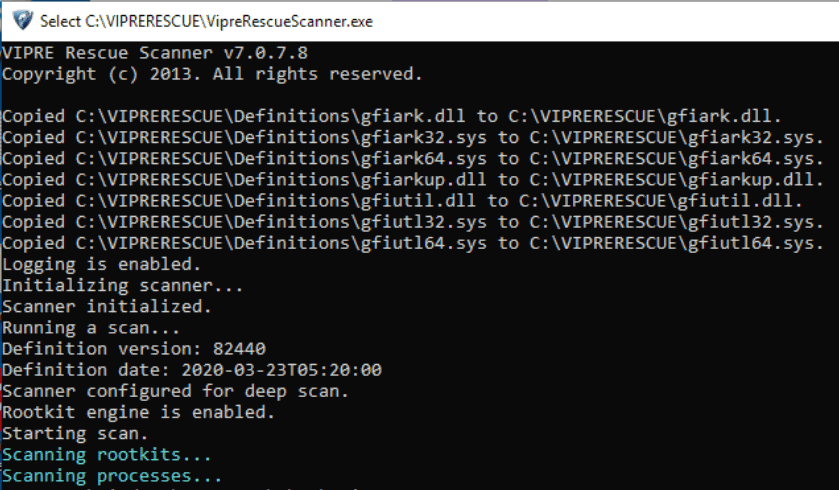
A couple of these scanners (McAfee GetSusp and VIPRE Rescue) don’t have a
visual interface; they run on a command line, so you’ll see a black window
with white text appear.

In most cases, it’s overkill to run this many tools, but when it comes to removing malware, I prefer to err on the side of caution.
The threat of malware is another reason why I strongly recommend that you take regular backups so that you always have a clean copy of your files.
The Best Portable Antivirus Tools
Here are the best portable antivirus (anti-malware) scanners, in
alphabetical order. These are all free! In the next section, I’ll explain
how to download and use these.
- Avira PC Cleaner (link will download .exe)
- Emsisoft Emergency Kit Portable
- HitmanPro
- Kaspersky TDSSKiller Portable
- Kaspersky Virus Removal Tool
- McAfee GetSusp
- McAfee RootkitRemover
- McAfee Stinger Portable
- Microsoft Safety Scanner
- Norton Power Eraser
- Sophos Virus Removal Tool
- SUPERAntiSpyware
- VIPRE Rescue

How to Use the Best Portable Antivirus Tools
Let’s walk through the steps to follow to use these portable antivirus scanners on your infected Windows PC.
- As soon as you notice (or suspect) your PC is infected, shut it off.
- On a different computer (not the infected one), download the anti-malware tools listed above. If you don’t have another computer, ask a friend for help, or try your local library or an Internet café. This can be done on a Mac or Linux machine; you don’t need Windows to download the software.
- Find a USB drive (or other external media) to put the anti-malware tools onto. Copy any valuable data from that drive onto a clean (non-infected) computer. Then, copy the anti-malware tools onto the drive.
- Start the infected PC in Safe Mode (not Safe Mode with Networking).
- Connect the USB drive (or other external media containing the anti-malware tools) to the infected PC.
- Double-click the tools to run or install them. The following scanners will run in Safe Mode, without Internet access:
- Restart the PC into normal mode and run the rest of the tools, which need Internet access:
- If any scanners find malware, take appropriate action (probably quarantining the files). Most tools can take action for you, but you may need to manually deal with some. Continue to run the scanners that found malware until they no longer find any.
- Uninstall the anti-malware tools that you installed on the PC.
- To reduce the risk of future malware infection, install anti-malware software. I have top-rated anti-malware listed on the Resources page. Bitdefender’s software has consistently earned high ratings from multiple organizations over the years, and I recommend it.
- Because the USB drive (or other external media) you used could have been infected, format it to wipe it clean.
Comments
Post a Comment